The $5 VPN Problem
You want to watch a movie exclusive to Japanese Netflix, or you want to bypass a strict firewall at work. You download a cheap commercial VPN, connect to a server in Tokyo, load up Netflix, and get the dreaded error message: "You seem to be using an unblocker or proxy."
How did Netflix know? You successfully changed your IP Address to Japan. The answer lies in the IP classification system. All IP addresses are not created equal; they are strictly categorized as either Datacenter or Residential.
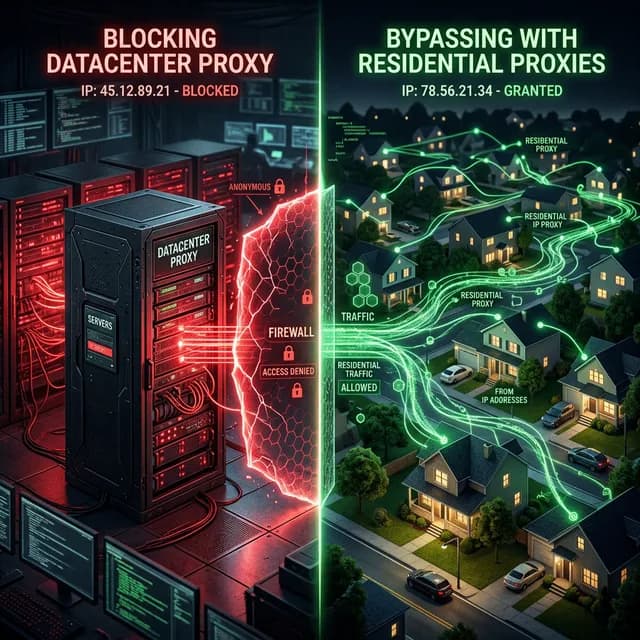
Datacenter Proxies: Fast, Cheap, and Loud
When you use standard commercial VPNs (NordVPN, ExpressVPN) or buy cheap cloud servers (from AWS, DigitalOcean), you are assigned a Datacenter IP. These IP addresses are owned by massive tech corporations.
- Pros: Extremely fast (gigabit speeds), 99.9% uptime, and very cheap to rent in bulk.
- The Fatal Flaw: They scream "SERVER". Real human beings do not live inside Amazon Web Services data centers. When Netflix or Amazon Prime sees traffic arriving from a Datacenter IP block, they instantly know it is a proxy, bot, or VPN, and they automatically ban the entire subnet.
Residential Proxies: The Ghost Network
Residential IP Addresses are assigned by local Internet Service Providers (ISPs like Comcast, AT&T, Vodafone) directly to physical homeowners. They represent actual houses, apartments, and cellular data connections.
A Residential Proxy is a service that routes your web traffic through the physical devices of real people. (Sometimes these people are paid for their bandwidth; sometimes they are unaware because they installed a shady 'Free' app, converting their PC into an exit node).
- The Ultimate Disguise: When you browse Netflix using a residential proxy in Tokyo, Netflix does a background check on the IP. The database says the IP belongs to a standard broadband customer living in a Tokyo apartment. Because it looks indistinguishable from a real human, Netflix allows the connection.
- The Drawbacks: Residential proxies are incredibly expensive (often billed per gigabyte of data used) and are much slower because your connection relies on the upload speed of a stranger's home Wi-Fi.
How Websites Check Your IP Type
Every IP address in the world belongs to an ASN (Autonomous System Number). E-commerce sites and streaming giants maintain massive databases of ASNs.
If an IP belongs to `ASN 16509 (Amazon.com)`, it is instantly flagged as a Datacenter proxy. If the IP belongs to `ASN 7018 (AT&T Services)`, it is trusted as a Residential connection.
You can see exactly how websites classify you right now. Turn off your VPN and use the IP address lookup tool. It will explicitly label your current connection as Residential, Business, or Hosting (Datacenter), revealing exactly what anti-fraud systems see when you log in.