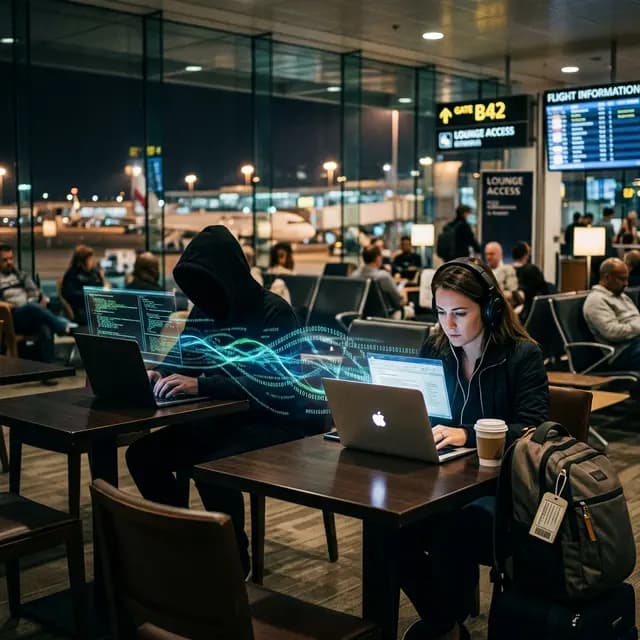
The Coffee Shop Illusion
You sit down at a Starbucks or await your flight at JFK Airport. You open your laptop, search for Wi-Fi, and connect to "Free Airport Wi-Fi". A captive portal pops up, you click "Accept Terms", and you log into your corporate email or bank account. You have just handed complete control of your digital session to a hacker sitting three tables away.
Most people believe that because a website uses HTTPS (the little padlock icon), they are safe on public Wi-Fi. This is dangerously false when falling victim to an Evil Twin Attack.
How the Evil Twin Operates
An Evil Twin is a rogue Wi-Fi access point that is set up to identically mimic a legitimate network. Here is exactly how the attack happens:
- The Setup: The attacker brings a small, battery-powered router (sometimes disguised as a power bank, like a HackRF or specialized Pineapple device). They name their Wi-Fi network exactly the same as the cafe's network (e.g., "Starbucks_Guest").
- Forcing the Connection: The attacker broadcasts the fake signal at a much higher power level than the real router. Because your smartphone or laptop is programmed to connect to the strongest known signal, it automatically drops the real Starbucks network and connects to the hacker's device.
- The Interception (MITM): You are now participating in a Man-in-the-Middle (MITM) attack. Every time you type a URL, the request goes from your phone, into the hacker's laptop, out to the real internet, and back.
Bypassing SSL and HTTPS
But wait, doesn't HTTPS encrypt your password so the hacker only sees gibberish? Yes, theoretically. However, when you connect to an Evil Twin, the hacker controls your DNS requests.
When you type "chase.com", the hacker's router intercepts the request and serves you a completely fake, identical-looking login page hosted locally on the hacker's machine (often using tools like SSLstrip to downgrade the connection to HTTP). When you type your password into this fake page, it is saved in plain text on the attacker's hard drive.
The Only Defense: Encryption Tunnels
Anti-virus software will not save you from an Evil Twin because no malware is installed on your device. The attack happens entirely in the air.
- Never Auto-Connect: Turn off "Auto-Join" for public networks in your Wi-Fi settings.
- Use Cellular Data: If you must do banking, turn off Wi-Fi and use your 5G connection. Carrier networks are exponentially harder to intercept than public 802.11 Wi-Fi.
- The Absolute Requirement of a VPN: A high-quality VPN forces 100% of your device's traffic into a military-grade encrypted tunnel before it leaves your network card. Even if you connect to an Evil Twin, the hacker will only see an impenetrable wall of AES-256 encrypted noise, protecting your passwords and your true IP Address.
"On a public network, never assume you are speaking directly to the internet. Assume there is a stranger translating every word for you."