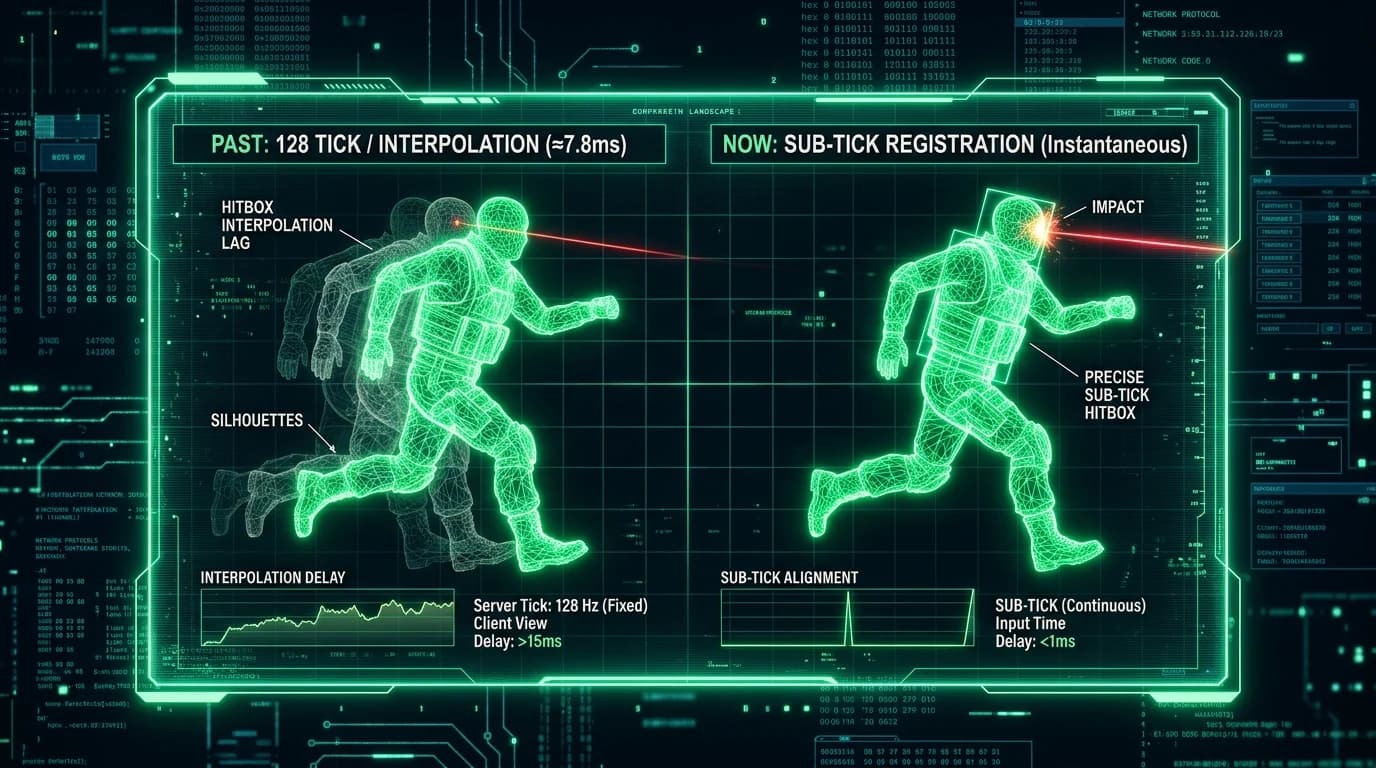
The Death of Legacy cl_interp Commands
In Counter-Strike: Global Offensive, competitive players spent hours tweaking launch options and console commands like cl_interp 0, cl_interp_ratio 1, and cl_interpolate 1 to minimize visual delay between server tick updates. In Counter-Strike 2 (CS2), Valve completely removed these client-side commands.
How CS2 Manages Sub-Tick Interpolation Buffers
Instead of exposing interpolation sliders to the client, the CS2 engine automatically calculates a dynamic Sub-Tick Lag Compensation Buffer:
- Input Fractional Timestamps: When you click your mouse to fire, the client records the precise millisecond delta within the current server tick.
- Server-Side History Rewind: When the fire packet arrives at the server, Valve Game Coordinator rewinds all player hitboxes to the exact sub-tick millisecond timestamp of your shot.
- Elimination of "Interpolation Peeker Advantage": By managing buffer sizing centrally based on round-trip jitter, players on erratic connections cannot manipulate client interp to gain artificial peek delays.
Why Packet Jitter Still Causes Visual Desync
While hit registration is mathematically exact on the server, high network jitter causes the local client visual rendering to misalign slightly with server state ("dying behind walls"). Learn how to diagnose routing spikes in our report on CS2 sub-tick telemetry and packet loss.
Audit your network latency and verify zero packet loss on our free online diagnostic scanner.