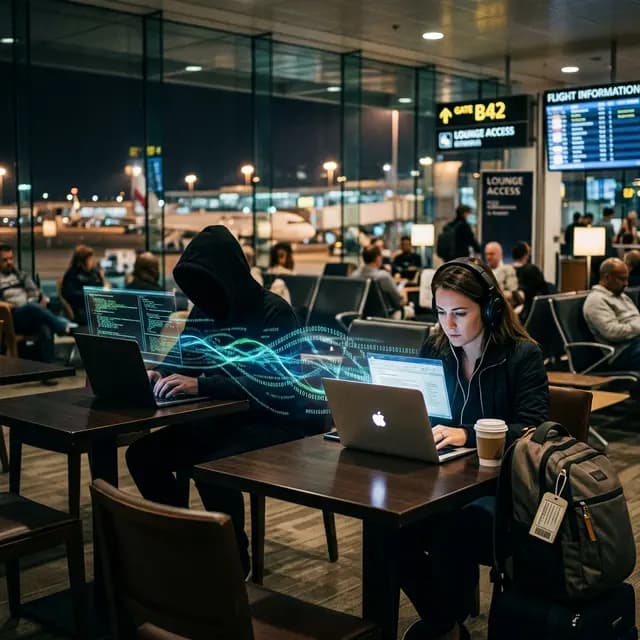
The Danger in Plain Air
Airports, coffee shops, and hotels offer free, open Wi-Fi. It is convenient, fast, and completely unencrypted. When a network does not require a password to connect (WPA2/WPA3 encryption), the radio signals traveling between your laptop and the router are broadcast in clear text over the air.
Any individual sitting within 100 feet with a cheap Wi-Fi antenna and basic packet-sniffing software (like Wireshark) can quietly reach into the air and pull down copies of your data. But the threat gets significantly worse when the hacker goes on the offensive using a Man-in-the-Middle (MitM) attack.
The "Evil Twin" Hotspot
The most common airport trap is the "Evil Twin." While you are looking for the official network (e.g., JFK_Terminal_Free_WiFi), a hacker a few rows away creates a hotspot on their laptop with the exact same name, but gives it a slightly stronger signal.
Your phone, programmed to jump to the strongest available connection, silently connects to the hacker's machine instead of the real router.
What happens next?
- Traffic Routing: The hacker provides you with actual internet access (passing your connection through to the real router), so you never notice anything is wrong. You check your bank, you log into work portals.
- SSL Stripping: Modern websites use HTTPS (the little padlock icon) to encrypt your passwords. The hacker's intercept software dynamically downgrades your connections to HTTP, stealing the login credentials in plain text before passing them to the bank.
- Session Hijacking: Even if they don't get the password, they can steal your authentication cookies. They inject these cookies into their own browser and immediately gain full access to your logged-in social media or email.
Armoring Your Public Connections
You do not need to avoid public Wi-Fi entirely, but you must assume every open network is hostile territory. Treat it like drinking from a public river; you need a water filter.
- The VPN Mandate: This is the non-negotiable rule of corporate travel. The second you connect to hotel or airport Wi-Fi, toggle your VPN. The VPN creates an impenetrable cryptographic tunnel. The hacker running the Evil Twin will still capture your packets, but they will be meaningless, scrambled ciphertext.
- Turn Off "Auto-Connect": Go into your phone and laptop settings and disable "Automatically connect to open networks." Your device should never make a handshake without your explicit permission.
- Audit Current Networks: If you are already connected, open free IP checker. Does the ISP match the name of the airport/coffee shop? Or does it show an unrecognized cellular provider (indicating you might be tethered to a hacker's mobile phone acting as a router)? Verify before you type your password.